

Somewhere around my fortieth flight of the year, I stopped believing my phone would just be fine. Boarding passes live in the phone. Gate changes land as a text on the phone. The rental car confirmation, the hotel door code, the photo of where I parked at the long-term lot, all of it lives on a screen that dies at exactly the moment you need it most. That's the real problem with travel now: your phone is the ticket, the map, and the wallet, and airports are not built to keep it charged. I've fought for outlets at crowded gates and begged a bartender to let me plug in behind the bar, and none of it beats just carrying a decent power bank. These days I travel with an INIU 45W power bank in my carry-on, and dead-phone panic isn't something I think about anymore.
This isn't a sales pitch dressed up as advice. Keeping a phone charged through a full travel day, especially one with a long flight and a layover stacked on top, comes down to five things you do before, during, and after you board. Get those five right and it stops mattering whether your phone is a five-year-old hand-me-down or last year's flagship. You'll land with enough battery to find your gate, call your ride, and check into your hotel without hunting for an outlet in a hallway at midnight.
The Cheapest Insurance Against a Dead Phone at the Gate
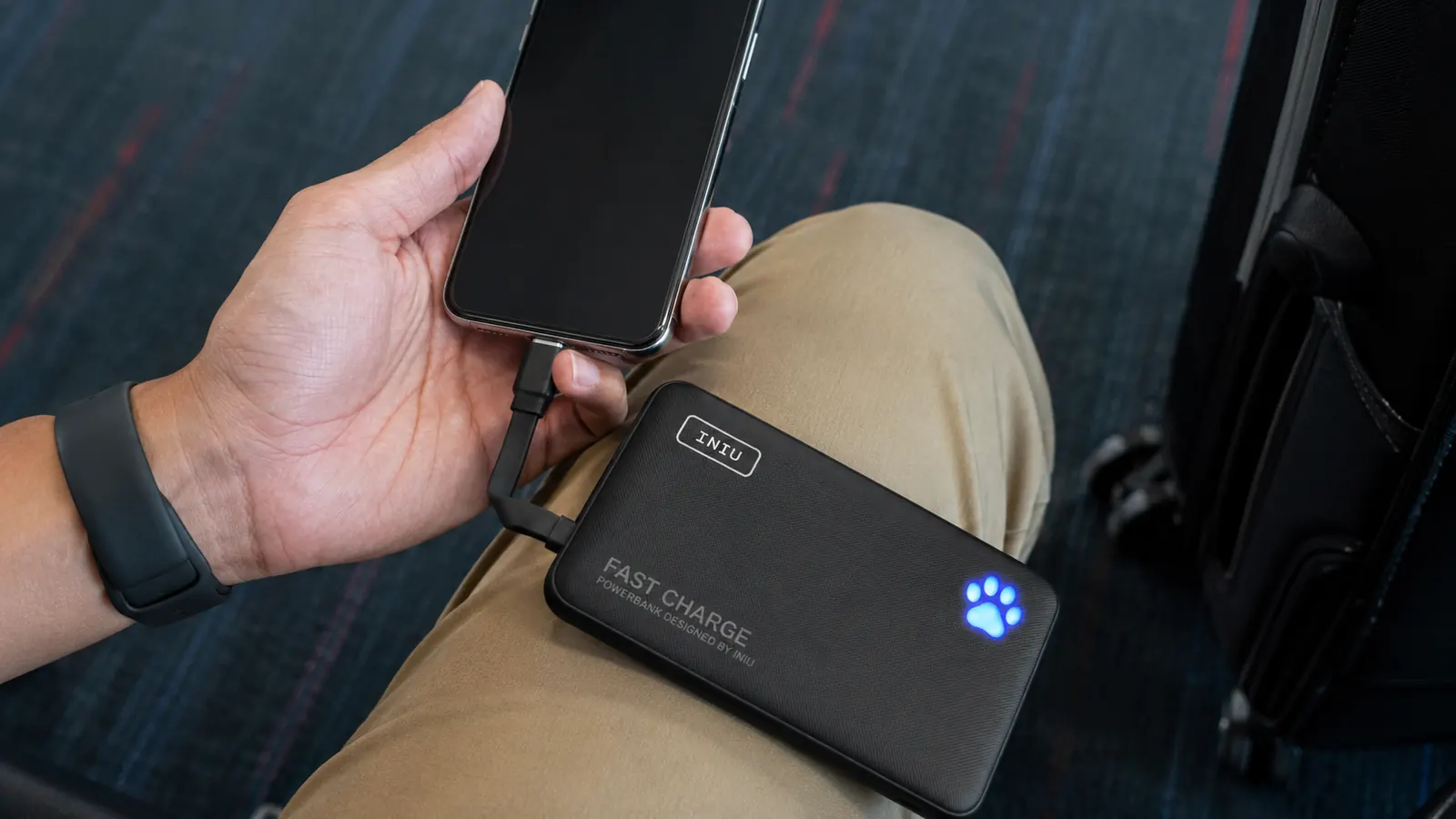
A flight-safe power bank costs less than the ride you'll need if your phone dies and you can't pull up the address. I carry the INIU 45W power bank because it's small enough to live in a jacket pocket and still gets my phone from empty to nearly full before we've even reached cruising altitude.
Amazon Check Today's Price on Amazon →Step 1: Start the Day at 100 Percent, Not Just Close to It
Every phone-charging plan for a flight starts the night before, not at the gate. Plug in before bed and actually check that it hit 100 percent in the morning. I've missed this more times than I'd like to admit because I fell asleep with the cord half out of the port. If you're leaving for an early flight, charge overnight on a real wall brick, not a laptop's USB port. Laptop ports trickle-charge, and you'll wake up to 60 percent instead of full.
If your trip starts with a long drive to the airport, that's another window you're wasting if your phone sits in the cupholder unplugged. A car charger or a spare cable in the glovebox turns forty-five minutes of driving into a free top-up. It's a small habit, but it means you walk into the terminal already at full instead of starting your charging math in a deficit before you've even cleared security.
It also helps to know your own phone's charging quirks before travel day, not during it. Older phones with worn-out batteries drain faster and charge slower, so if your phone is a few years old, don't assume a two-hour overnight charge gives you the same headroom it did when the phone was new. I've started test-charging my own phone from a low percentage at home sometimes, just to see how long a real full charge actually takes on its current battery health, since it's rarely the number printed in the manual anymore.
Step 2: Cut the Drain Before You Ever Board
The biggest battery killer at the airport isn't the flight, it's the two hours before it. Full brightness, GPS pinging every thirty seconds for the terminal map, a group text about who's picking who up, a podcast streaming over cellular because the airport wifi login page won't load. Turn on low power mode the second you get to the terminal, not after you're already down to 20 percent. Dim the screen manually too, since low power mode doesn't always catch that on its own.
Download anything you'll want offline before you get to the gate: a screenshot of your boarding pass as backup, podcast episodes, the map to your hotel. Streaming eats far more battery than playing something already saved to the phone, and gate wifi is unreliable enough that you'll burn power just retrying a failed connection over and over.
Background app refresh is another quiet drain most people never touch. Apps checking for new mail, syncing photos, and updating social feeds in the background all pull power even when you're not actively looking at the phone. I go through and turn refresh off for anything that isn't essential on a travel day, not forever, just for the stretch where I actually need the battery to last.
Step 3: Pack a Flight-Safe Power Bank, and Put It in Your Carry-On
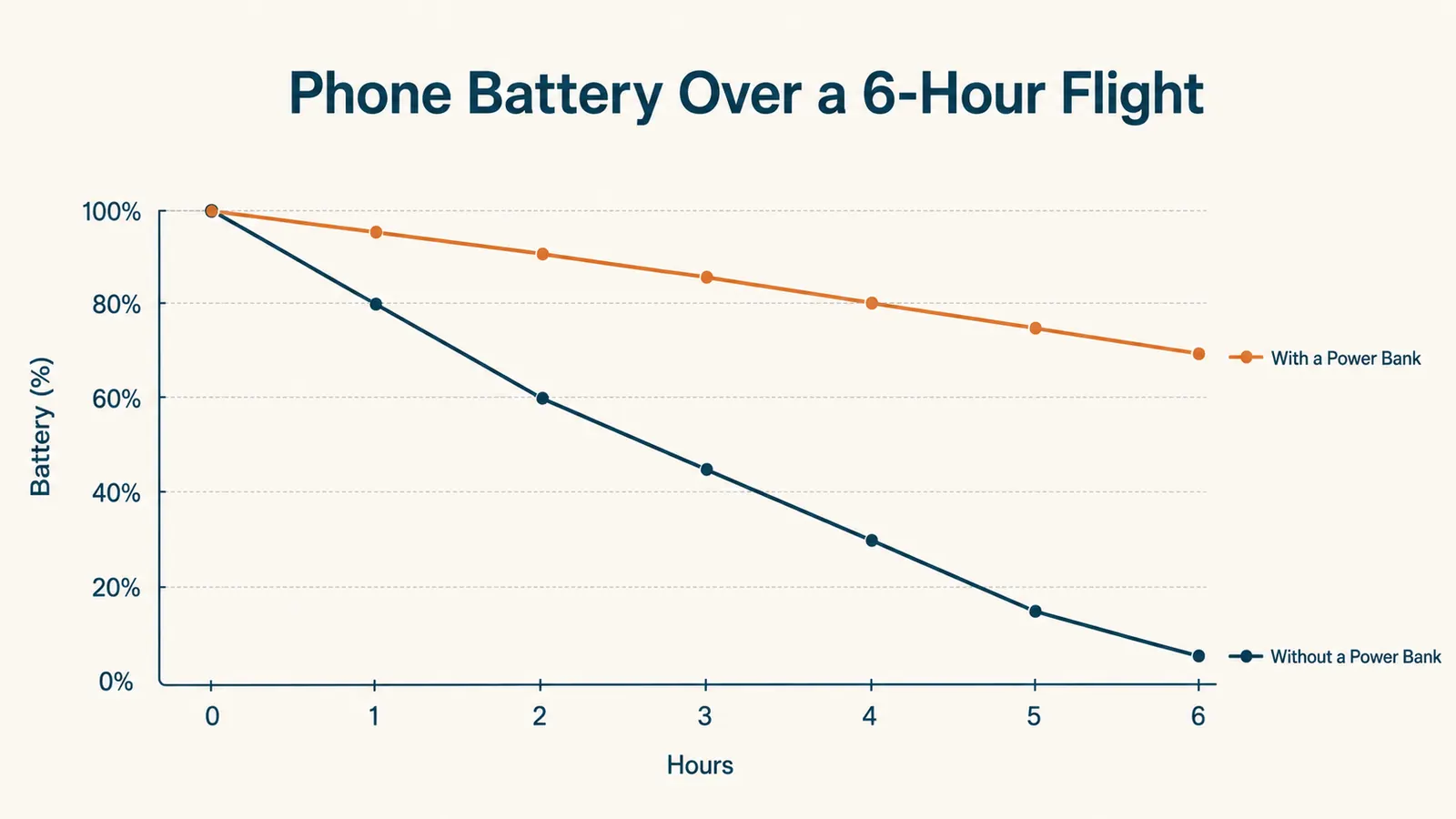
This is the step people get wrong in a way that actually matters. Lithium power banks are required to travel in your carry-on baggage, never in a checked bag. The FAA treats loose lithium batteries as a fire risk that needs to stay where a crew member can get to it, and airlines can and do set their own limits on top of that baseline rule, so it's worth a quick check of your specific carrier before a trip if you're carrying a larger power bank. Pack it in the outer pocket of your carry-on where security can see it without you digging for it.
This is also where the specific power bank you choose matters. I keep an INIU power bank in my bag because it's well under the size most airlines flag for extra questions, and it still holds enough charge to top off a phone two or three times over a full travel day. A power bank that's too big to comfortably carry is a power bank that ends up left at home on the one day you actually needed it.
For scale, the INIU's roughly 10,000mAh capacity works out to about 37 watt-hours, comfortably under the FAA's 100 watt-hour carry-on limit that doesn't require asking anyone's permission. If you ever look at a bigger bank in the 100 to 160 watt-hour range, you're supposed to get airline approval first, and anything above 160 watt-hours isn't allowed on a passenger plane at all. Sticking with a bank sized like this one means you never have to have that conversation with a gate agent.
Step 4: Charge at 30 Percent, Not at 3 Percent
Waiting until your phone is nearly dead to plug into a power bank is backwards. Batteries charge fastest and healthiest in the middle of their range, and if you wait until 3 percent, you're also gambling that you'll notice the low-battery warning before the screen goes black mid-boarding-pass-scan. I plug into the power bank the moment I'm below 30 percent, before takeoff if I can, so the phone spends the flight topping off instead of racing to survive the descent.
On a red-eye or a long-haul flight, plug in before you settle in for the flight, not two hours later once you remember you meant to. A power bank sitting unused in the seatback pocket does nothing for you. The same INIU power bank I mentioned earlier has a USB-C cable built right into the unit, so there's no hunting for a cord in a dark cabin, which sounds like a small thing until you're the one patting down a diaper bag at 2 a.m. looking for a charging cable while your row mate tries to sleep.
Cable management matters more than people think once you're actually charging mid-flight. A tray table with a phone, a power bank, and a tangle of cord becomes a mess the second the flight attendant needs you to put the tray up for turbulence. I keep the cable short and the power bank tucked in the seat pocket in front of me, phone in hand, so nothing has to get unplugged in a hurry if the seatbelt sign comes back on.
Step 5: Recharge the Power Bank Itself During Layovers
A power bank is only useful if it still has charge left in it, and a lot of travelers forget to recharge it during a layover because they're focused on their phone instead. If you've got forty minutes at a gate with an open outlet, plug the power bank in too, not just the phone. That way it's ready to go again for the next leg instead of arriving at your destination as dead weight in your bag.
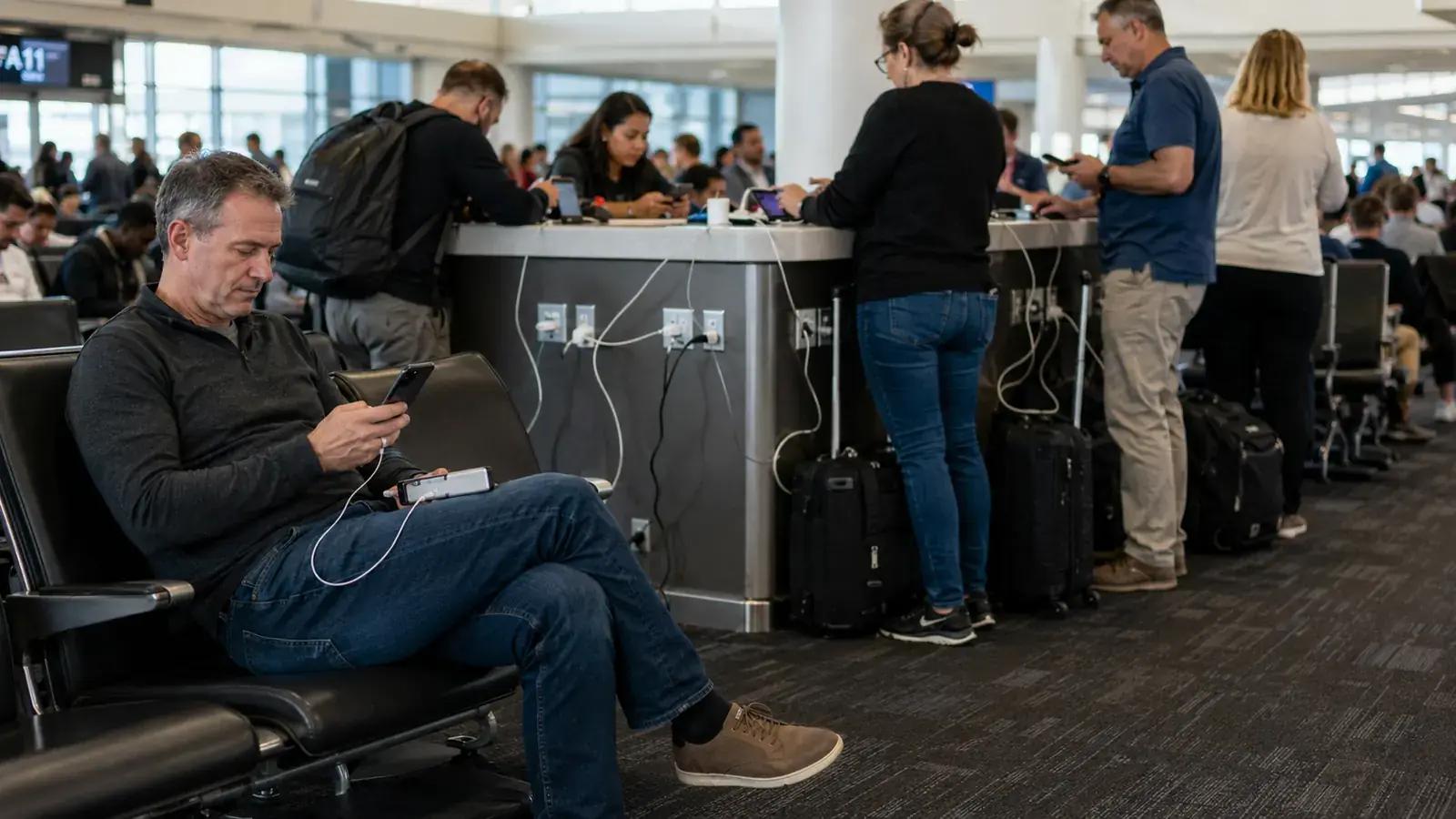
Layover outlets get fought over, and I've learned it's easier to plug a power bank into a low-traffic outlet near an empty gate than to compete for the one plug at your actual departure gate. Airport charging stations and airline lounges are worth using too if you have access, plug in everything you own for fifteen minutes rather than waiting until your device dies to go looking for power. See the full list of reasons a travel power bank earns its spot in your bag if you want more of the everyday cases where this pays off beyond just flights.
If you're flying through a hub airport with a long layover, it's worth scouting the terminal map ahead of time for known charging lounges or seating built with outlets at every seat, a lot of newer terminals design whole sections around this now. A five-minute search before you leave home for charging stations at your connecting airport can save you from wandering a concourse with a dying phone looking for a plug that isn't already taken.
What Else Helps
A power bank solves the biggest problem, but a few small habits stack on top of it. Turn off location services for apps you're not actively using mid-flight. If the seatback has power built in, use it for the phone directly and save the power bank for the layover instead of running both at once for no reason. Keep a short backup cable in your personal item, not just your carry-on, since cables go missing more often than power banks do. And if you're the kind of traveler who's had a phone die at exactly the wrong moment, read about what a six-hour delay with a dead phone actually looks like, it's the story that convinced me to stop treating a charger as optional gear. If you're still deciding which model to buy, I put the INIU up against the competition in INIU vs Anker power bank, and laid out everything that held up and everything that didn't in the honest review after 100+ charges.
A slim wall charger with two ports is worth keeping in your bag alongside the power bank, since some gate outlets only give you one accessible plug and you'll want to charge the power bank and another device at the same time without fighting over it. I also keep my phone case free of anything bulky enough to block the charging port, since a case that doesn't seat a cable properly leads to a phone that looks like it's charging but isn't, which is its own kind of bad surprise at boarding.
None of this is complicated, and that's the point. A phone that survives a full travel day isn't about buying every gadget on a gear list, it's about doing five ordinary things in the right order and carrying one piece of equipment that actually works when you need it. Once the habit is set, you stop thinking about your battery percentage at all, which is exactly how it should be on a trip you're supposed to be enjoying.
A phone at 12 percent isn't a working phone, it's a countdown, and countdowns make bad travel decisions for you.
Don't Let a Dead Phone Decide Your Next Trip
Whether it's a missed gate change or a hotel confirmation you can't pull up, a dead phone turns small travel hiccups into real problems. Check today's price on the INIU power bank and take the end-of-day dead battery off the list of things that can go wrong on your next flight.
Amazon Check Today's Price on Amazon →